
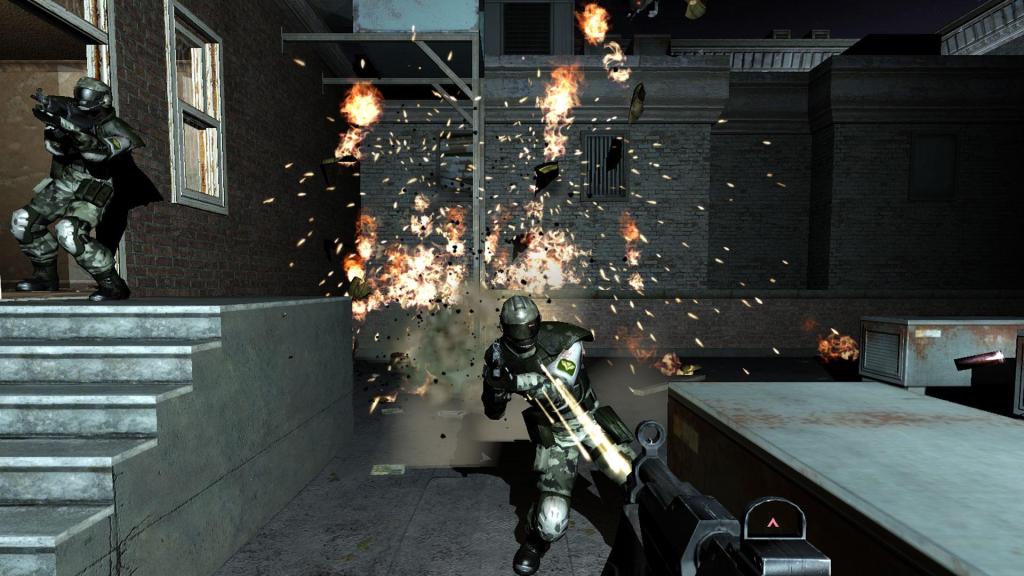
Getting games to run properly on PC can sometimes be just as rewarding as actually playing them. That is the epiphany I had recently while trying to get a handful of classic PC titles running smoothly on my Steam Deck.
For me, gaming isn’t all about wrestling with the latest AAA releases’ settings so they perform with playable framerates. Sometimes, curling up with my handheld to play a classic from the late 1990s or mid-2000s is immensely satisfying.
However, newbies be warned! Classic PC titles rarely plug-and-play on a handheld.
During a recent Steam sale, I picked up the entire F.E.A.R. trilogy for about $15. Monolith Productions’ original 2005 release was a technical landmark – famous for its dynamic lighting, particle effects, and enemy AI that still rivals modern shooters – but it is also notorious for quirky hardware bugs such as the DirectInput polling issue that tanks framerates on modern systems.
My initial, somewhat naive assumption was that a 20-year-old game would simply run straight out of the box on modern hardware, and run well. Setting the visuals at maximum undoubtedly effortless for the Steam Deck’s APU, but from a control and compatibility perspective, it demanded work.
F.E.A.R. was built strictly for keyboard and mouse – sure it was ported to Xbox, but not this version – with no native modern gamepad support. Getting the Steam Deck’s physical inputs to work well meant diving into Steam Input to map WASD, fire, lean, and slow-mo binds across the trackpads, gyros and rear grip buttons. On top of that, getting stable performance meant digging through community Proton layers, such as Proton GE, to find the compatibility build that smoothed out video playback and input stutter. I did not know this before spending that $15.
Sure, a completely frictionless experience is the defining pitch of a Nintendo Switch, an Xbox or a PlayStation. But the Steam Deck is fundamentally a portable PC running Arch Linux under the hood, wrapped in SteamOS. The people drawn to it naturally bring a PC gaming mindset: troubleshooting, tweaking and, as I’ve learnt recently, figuring out why a game behaves the way it does. Even PC titles from the past decade demand a little bit of tinkering before they hit a locked 60 frames per second, or are smooth in their playability.
SteamOS does an incredible job of masking the underlying Linux complexity and making PC gaming feel as approachable as a home console. But, whether it is an old Genesis port of Sonic the Hedgehog struggling with frame pacing or an early DirectX 9 shooter throwing a black screen, older software often needs attention with no clear path.
And that process is half the fun.
F.E.A.R. defined mid-2000s tactical action in FPS games, and I wasn’t going to let control quirks or micro-stutters compromise that experience for me. And this was were the Steam community shines.
Instead of manually binding every key from scratch, Steam Input lets you load layouts shared and voted on by players who have already solved those issues. On top of that, resources like ProtonDB provide community-tested launch arguments, DirectInput fixes, and optimal Proton versions, while Deck users regularly publish guides detailing the best frame limits, TDP caps, and graphical presets to balance clarity against battery life. Seems like a lot of work but its not … and it’s fun!
Whether a game fails to boot entirely or just drops a few frames when enemies breach a room, the community has usually documented a solution. On dedicated consoles, the process is frictionless: install, launch, play.
On the Steam Deck, friction is a fun thing.
Being able to download a community layout, dial in the back buttons, switch to an optimized Proton build, and turn a legacy desktop title into a portable masterclass is uniquely satisfying.
Getting the game across the start line is easily half the thrill and one console gamers will never get to have.




Leave a Reply